Track Performance That Actually Matters
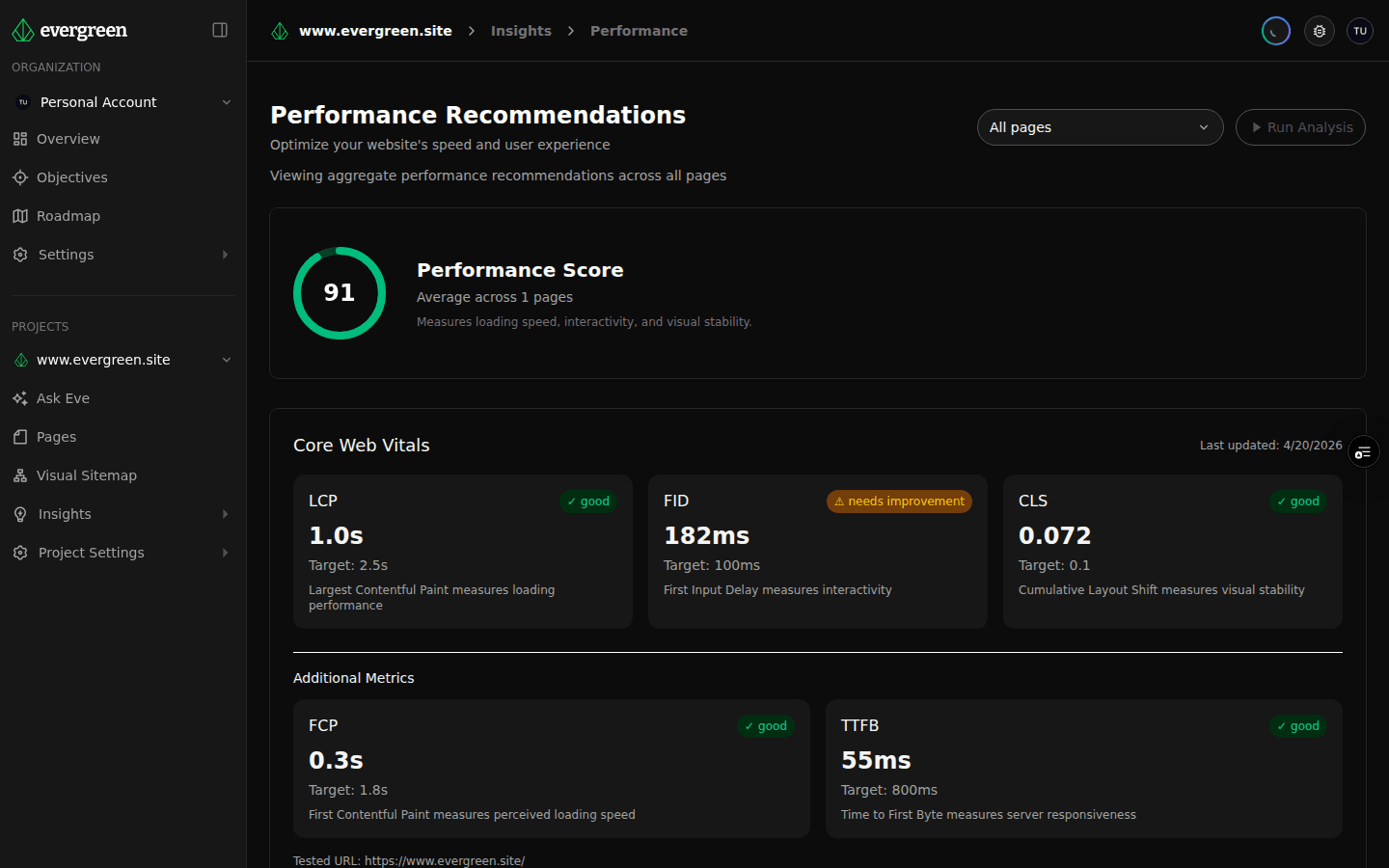
Monitor Lighthouse scores and Core Web Vitals across your entire site. See trends over time, catch regressions early, and know exactly which pages need optimization.
What you get
Sitewide Lighthouse Scores
Get Lighthouse performance, accessibility, best practices, and SEO scores for every page — not just the homepage.
Core Web Vitals Tracking
Monitor LCP, INP, and CLS across your site so you can catch issues before they affect your search rankings.
Trend Analysis and Alerts
Track how performance changes over time with every crawl. Spot regressions the moment they happen, not weeks later.
Performance Is Not a One-Time Check
Running a Lighthouse audit on your homepage tells you almost nothing about your actual site performance. Real websites have hundreds of pages, and the ones that are slow are rarely the ones you think to test. Evergreen monitors performance across your entire site, so problems do not hide in the pages you never check.
Full-Site Lighthouse Audits
Every time Evergreen crawls your site, it captures Lighthouse scores for each page across all four categories:
- Performance — load speed, render timing, and resource efficiency.
- Accessibility — color contrast, ARIA usage, keyboard navigation, and semantic structure.
- Best Practices — HTTPS usage, console errors, deprecated APIs, and security headers.
- SEO — crawlability, meta tags, structured data, and mobile-friendliness.
Instead of spot-checking individual pages, you get a complete picture. Sort by score to find your slowest pages. Filter by category to focus on accessibility or SEO specifically. Drill into any page to see the exact Lighthouse diagnostics and recommendations.
Core Web Vitals at Scale
Google uses Core Web Vitals as a ranking signal, but most teams only monitor them for a handful of pages. Evergreen tracks the three key metrics across your entire site:
- Largest Contentful Paint (LCP) — how quickly the main content loads. Pages above 2.5 seconds are losing both visitors and rankings.
- Interaction to Next Paint (INP) — how responsive your pages feel when users click, tap, or type. Sluggish interactions drive people away.
- Cumulative Layout Shift (CLS) — how much your page layout jumps around during loading. Unexpected shifts frustrate users and erode trust.
Evergreen surfaces which pages pass, need improvement, or fail each metric, so you can prioritize fixes where they will have the most impact.
Catch Regressions Before Users Do
A single deploy can tank performance on pages you did not touch. Evergreen compares scores between crawls and highlights regressions automatically. When a page drops from a 92 to a 67, you will know immediately — not after a client complains or rankings slip.
Trend charts show performance over time for any page or section of your site, making it easy to correlate changes with deploys, content updates, or third-party script additions.
Understand What Is Causing Slowdowns
Knowing a page is slow is only half the problem. Evergreen surfaces the specific Lighthouse diagnostics for each page, so you can see exactly what is causing poor scores:
- Render-blocking resources that delay first paint.
- Unoptimized images that inflate page weight.
- Excessive JavaScript that extends time to interactive.
- Third-party scripts that add latency outside your control.
Connected to the Bigger Picture
Performance data is most useful when you can see it in context. Overlay performance scores on your visual sitemap to identify slow sections of your site. Cross-reference with content audit scores to find pages that have both weak content and poor performance — the lowest-hanging fruit for improvement. Pull in analytics data to see whether your slowest pages are also your highest-traffic pages, so you know where optimization will have the biggest impact.
Start Monitoring Today
Run your first crawl and get Lighthouse scores and Core Web Vitals for every page on your site. No agents to install, no configuration to manage — just enter your URL and see how your site actually performs.
Ready to try it yourself?
Start with a free account and see what Evergreen can reveal about your website in minutes.
Get Started Free →No credit card required. Just insights.
